 KiCI
KiCI
Public beta KiCI, pronounced /ki-ci/
CI/CD with a full dev loop your coding agent can own — on your own infrastructure.
KiCI is a complete CI/CD system that runs your pipelines on machines you control. Your coding agent can drive the whole dev loop before anything reaches your branch.
Free plan: Full features on the hosted dashboard at no cost. KiCI never receives your source or secrets.
$ git status --short
 M test/ci.test.js

$ kici run remote --workflow site-demo
Running your local working tree (overlay includes .git, so git steps work)
Run started: 52942bf8-90cf-4a89-b4fb-6c0133c4c19d
✔ the committed test passes (1.414791ms)
✔ this test is not committed, and it still ran on the agent (0.308353ms)
┌──────┬────────┬──────────┐
│ Job  │ Status │ Duration │
├──────┼────────┼──────────┤
│ test │ ✓ pass │ 1.4s     │
└──────┴────────┴──────────┘
Result: PASSED (3.0s)KiCI is in public beta. Pin versions for production. Report what breaks →
A full dev loop your agent can drive
An agent writes a pipeline and misspells one option key.
// .kici/workflows/site-demo.ts
import { workflow, job, step, push } from '@kici-dev/sdk';

const test = step('test', async ({ $ }) => {
  await $`pnpm test`;
});

export default workflow('site-demo', {
  on: [push({ branches: 'main' })],
  jobs: [job('test', { runOn: 'kici:os:linux', steps: [test] })],
});
The compiler says so before anything is pushed:
site-demo.ts(10,24): error TS2769: No overload matches this call.
  The last overload gave the following error.
Object literal may only specify known properties, but 'runOn' does not exist in type 'JobOptions'. Did you mean to write 'runsOn'?- kici compile --check — shows the error.
- Fix it.
- kici run remote — runs the working tree on your agents with test-scoped secrets, and streams the logs back.
- Push.
- After the push, your agent reads the run over MCP — get_run for the result, get_step_logs for the failing step — and fixes what failed.
kici run --local runs the same workflow on your laptop. Start here, or work offline.
Your agent reads the SDK as one file (kici docs llm sdk) and drives the rest over MCP. CI for coding agents → Agent guide →
Here is what kici run remote prints for that same workflow, fixed — with one test that exists only in the working tree.
$ git status --short
 M test/ci.test.js

$ kici run remote --workflow site-demo
kici v0.12.0
✓ Compiled workflows → .kici/kici.lock.json (1 workflow)
Types generated ~/site-demo/.kici/types/secrets.d.ts
Running workflow "site-demo" directly (bypassing triggers)
Creating overlay tarball...
Running your local working tree (overlay includes .git, so git steps work)
50 files changed, 0 new, 0 deleted (24.0 KB compressed)
Initializing upload...
Uploading overlay...
Run started: 52942bf8-90cf-4a89-b4fb-6c0133c4c19d
> test
> node --test
✔ the committed test passes (1.414791ms)
✔ this test is not committed, and it still ran on the agent (0.308353ms)
ℹ tests 2
ℹ suites 0
ℹ pass 2
ℹ fail 0
ℹ cancelled 0
ℹ skipped 0
ℹ todo 0
ℹ duration_ms 84.140395

┌──────┬────────┬──────────┐
│ Job  │ Status │ Duration │
├──────┼────────┼──────────┤
│ test │ ✓ pass │ 1.4s     │
└──────┴────────┴──────────┘

Result: PASSED (3.0s)Or try it on your laptop first, no account needed:
A complete CI system
It is not a layer on another CI. Triggers, dispatch, autoscaling, secrets, approvals and the dashboard are all part of KiCI. Events come from pushes and pull requests, schedules, and any HTTP webhook. Jobs run in containers, on bare-metal hosts or in Firecracker microVMs, and KiCI scales those agents for you.
Moving off GitHub Actions, GitLab CI, CircleCI, Jenkins, or Buildkite? See how it compares, point by point:
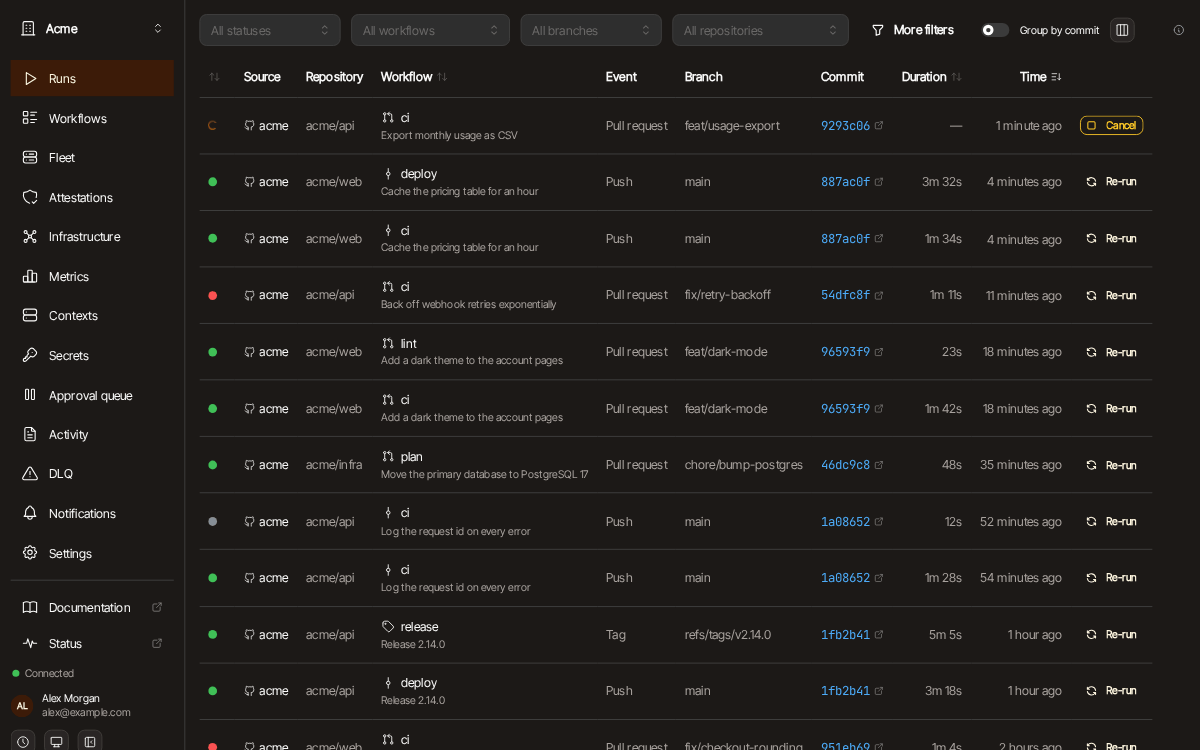
One dashboard for every pipeline your org runs
- Run history and live logs across every orchestrator and repository, in one place. source
- Organizations, teams and roles. Sign in with your identity provider. source
- Approvals, deployment contexts and notifications. source
- A webhook relay, so your orchestrators can sit on a private network behind one outbound connection. source
- Free with full functionality. Paid tiers raise the limits. source
Your code never leaves your infrastructure
Observability and control for your whole org.
Matches triggers, dispatches jobs, auto-scales agents.
Clone your repos, run steps, stream logs back.
Your code, secrets, and compute stay here.
What the platform holds, so your team can see it
- webhook payloads, to route them — The platform relays each inbound webhook to the right orchestrator. It holds no webhook secrets: your orchestrator checks the signature. source
- run status and timing — Run lifecycle metadata — status, timestamps and durations — is stored by the platform, so your team has run history. source
- the live log stream you open in the dashboard — Live log lines pass through the platform to your browser while a run streams. The platform does not store them. source
What stays on your infrastructure
- your source code — Your source code and cloned repositories stay on your infrastructure. source
- your secrets — Secret values are masked before they leave the agent sandbox. Only key names appear in run metadata. source
- your logs at rest — Log storage lives on your orchestrator, never on the platform. source
- your build artifacts — Build artifacts are written to object storage your orchestrator owns and you configure. source
The orchestrator and agent are open source. In hybrid or independent mode your git host talks to your orchestrator directly and the platform stays your dashboard, not your trigger path. Your CI keeps running even if we stop. Open source and self-hosted →
Typed pipelines your agent writes against
A pipeline is real TypeScript, so your agent writes against types and a compiler that answers it. Loops, conditionals, functions and shared steps are checked before anything runs:
// .kici/workflows/ci.ts — code, not config
import { workflow, job, step, rule, pr, push } from '@kici-dev/sdk';
import { readdir } from 'node:fs/promises';

const install = step('install', async ({ $ }) => {
  await $`pnpm install --frozen-lockfile`;
});

export default workflow('ci', {
  on: [pr(), push({ branches: 'main' })],
  jobs: [
    job('test', {
      runsOn: 'kici:os:linux',
      // discover packages at runtime — a real loop, not a hardcoded list
      matrix: async () => {
        const entries = await readdir('packages', { withFileTypes: true });
        return entries.filter((e) => e.isDirectory()).map((e) => e.name);
      },
      // matrix is typed: a single-dimension matrix exposes `value`
      steps: [install, step('test', async ({ $, matrix }) => {
        await $`pnpm --filter ${matrix?.value ?? '.'} test`;
      })],
    }),
    job('deploy', {
      runsOn: 'kici:os:linux',
      needs: ['test'],
      rules: [rule('only on main', ({ event }) =>
        event.type === 'push' && event.payload?.ref === 'refs/heads/main')],
      // each job runs on a fresh clone, so deploy installs too — reuse the step
      steps: [install, step('deploy', async ({ $ }) => {
        await $`pnpm run deploy`;
      })],
    }),
  ],
});Pricing
Free forever with full functionality; paid tiers raise the limits.
30d retention
90d retention
180d retention
365d retention
Questions
Can my coding agent run and debug my pipelines?
Does KiCI see my source code or secrets?
Can I test a workflow before pushing?
kici run --local and kici run remote run any workflow against your current working tree — including unstaged changes — on your own machine or against the real remote pipeline, before you commit or push.